

Week 0
During our ‘Build a World’ project in 2022, my group wanted to make a story about a human and a fish person becoming friends. I thought a funny twist to this plot would be that instead of the human meeting the fish person above water, the fish person would meet the human underwater. The human would have drowned but the fish person befriends him anyway due to not knowing what a human is. My group didn’t go with this idea but I’ve had it on the back burner ever since.
Art I made in 2022.


My idea is a fish person becomes friends with a human corpse. After a day of fun, they have to say goodbye as it’s the morally right thing to do.
It’s a dark comedy and I’m planning for the characters to be 2d animated with 3d backgrounds. The film will have no dialogue and have a cutesy atmosphere.
I have split the film into four scenes:
scene 1: -morning -axolotl and corpse
-takes place in an empty space underwater
-axolotl meets the human corpse
scene 2: -noon -axolotl and corpse (with background characters)
-Montage where the characters go to different locations and have fun
-fun fair, selling stands, meet up with someone who’s shocked at the corpse
scene 3:-afternoon -axolotl and corpse
-axolotl finds photo of the corpses family and feels bad for keeping him underwater
scene 4- sunset -axolotl and corpse
-takes place in the same empty space as scene 1
-axolotl ties a balloon to the corpse and sends it towards the surface with a heart warming goodbye
art style references
The art style I’m thinking of going for is lineless with a small amount of lines on the characters’ face.

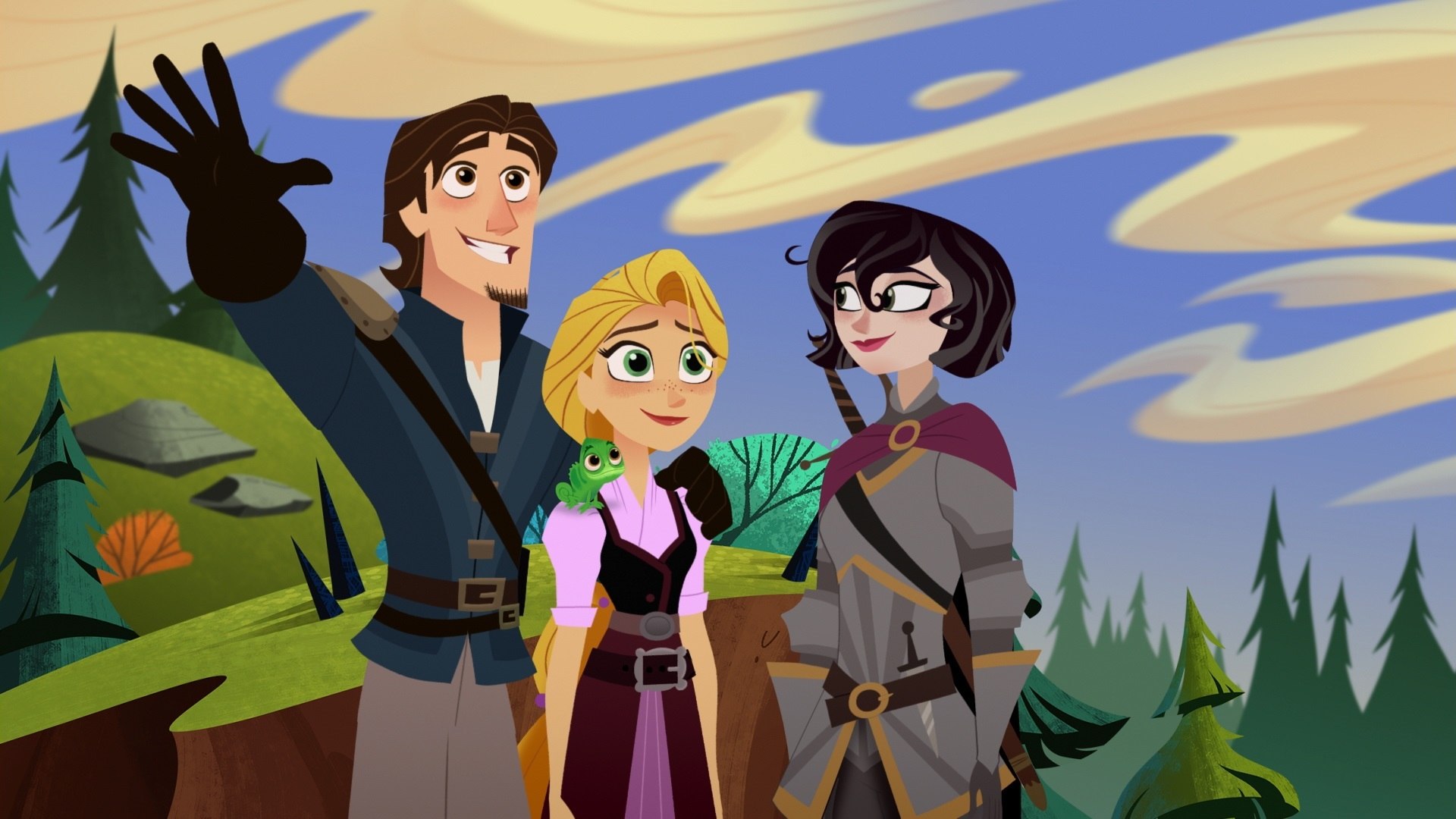


I’m not sure if I want to go with frame by frame animation or puppet animation yet.
design references
I already have ideas of what my fish characters look like but my main problem is that they look too simple. I’m going to try and make them look more interesting as I advance.
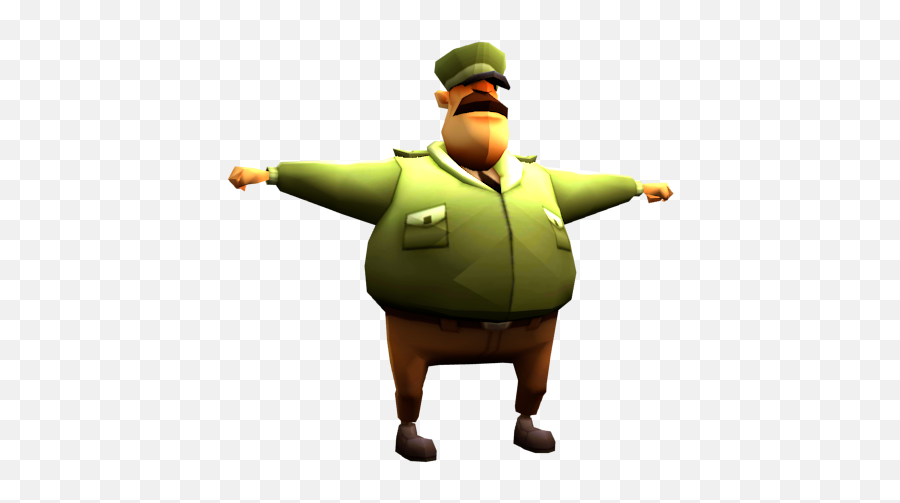


The idea of this character is that he’s aware of what humans look like as his design implies that he had a rough run in with them. The original idea was that he was the one who told the axolotl character that the human needs to go home without telling them that they were dragging a corpse around all day. Alec said it would be better to make the axolotl find a photo of the human’s family on the corpse’s person instead as it’ll be more straight forward and give myself less work. I still want to use this guy as a background character as I like his design.
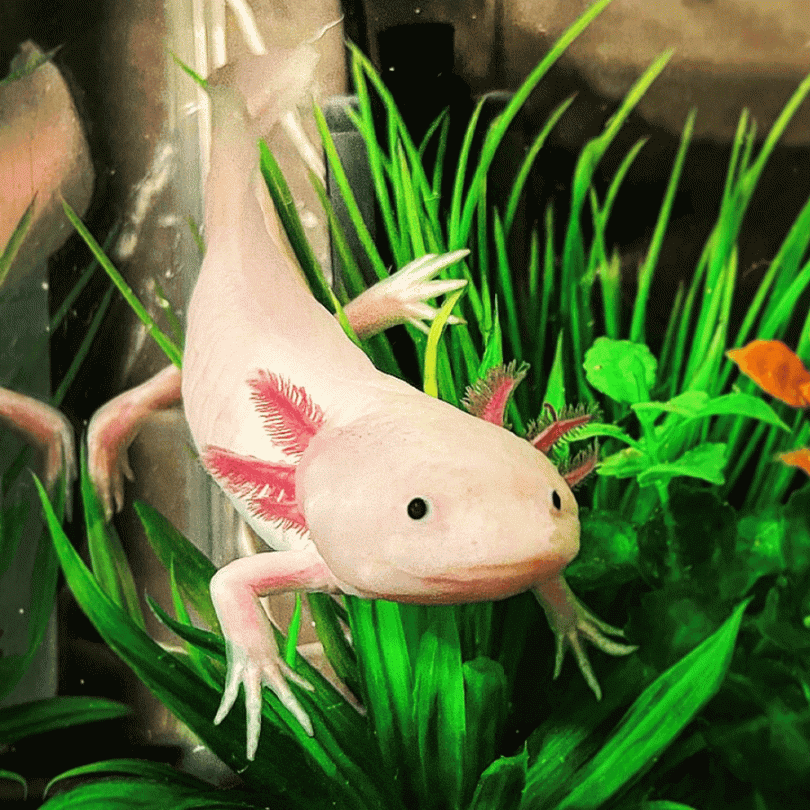

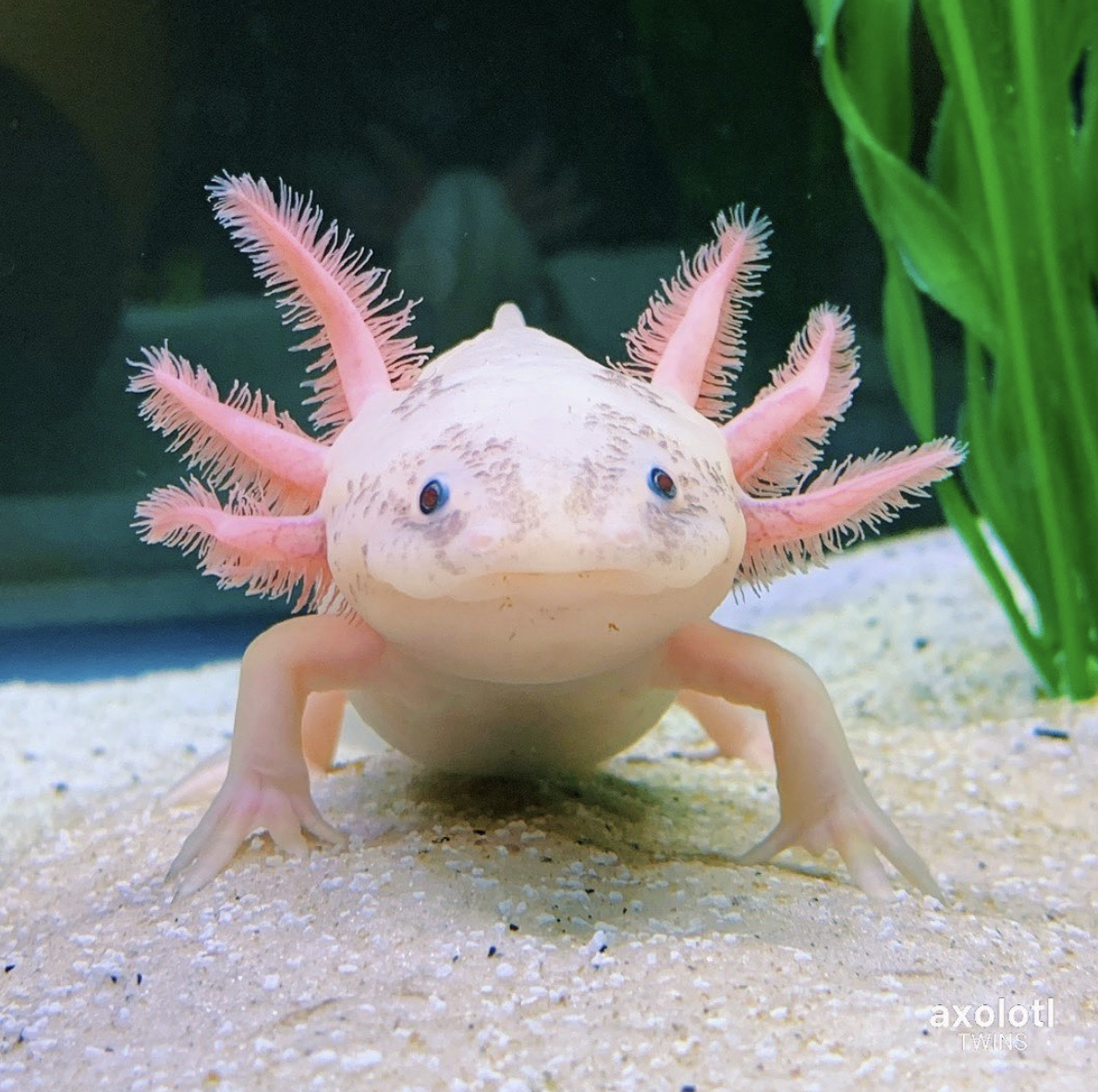

I want the main character to be an axolotl as it’ll help them stand out among the fish characters. The axolotl is very naïve, gullible and a dumbass but super passionate about their interests. They’re quite childish which is what I tried to show through their design by giving them big round eyes and noodley limbs.
background refs
As the background will be 3d, I’ll be looking at some 3d movies that take place underwater.

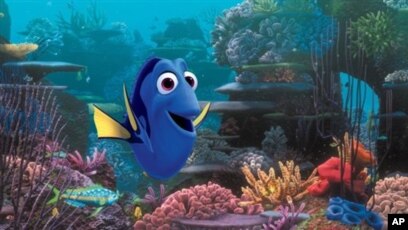
They look very colourful but I’m not sure if the background being that detailed would work with simple 2d characters.
As the first and last scene takes place more near the surface and different points of the day, I want the lighting to be different in each main scene.

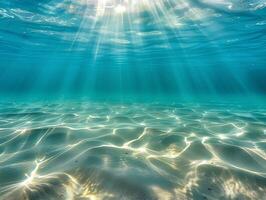

I like the iconography of the locations from SpongeBob as it’s also a world with fish people and it’s helping me with my own world building.


Week 1
To make my characters more interesting I decided to think about world building, what do the characters do outside of the plot and what does looking at them tell you about their personality and hobbies.
I asked the question of why was the axolotl in the empty area in the first place? What were they doing? This made me think about the fact that the empty area may have a lot of random human stuff, such as litter and discarded fishing equipment. So I came up with the idea that maybe the axolotl enjoys collecting human stuff as they’re interested in human culture, like Ariel from the little mermaid. But they’re a complete dumbass who’s never actually seen what a human looks or acts like, so they assume humans are simply motionless.
Then I thought about what their relationship could be like with the fish person. That’s when I realized that the axolotl could collect human stuff and give them to the fish person who then sells it to other fish people by making the trash look interesting. And it explains the fish person’s injuries as he could’ve went to the empty area all the time to collect the rubbish, but then came into close contact with a human.
I’ve also been told by my lecturer to take shape language into consideration, especially for the fish person as making him fully have circles makes him seem too friendly.


I experimented with different fin shapes but the rounded ones look better as they’re round like the rest of the character.


I’m experimenting with the axolotl by giving them a bag so they can put the trash somewhere. I’m adding random rubbish on them to show that they collect trash and figuring out how their hands look design and pattern wise. I want the character to act silly and animal like, so I started sketching out some ideas to how they could pose.
Fish person

 Old game assets
I’m going to give the fish character more square shapes and to make him look like he scams people with human trash. I’m going to use some old drawings from a game that I worked on as I used a lot of unique body shapes for that.


Week 2
Today we’re learning to put more emphasis on what the point and message of our films are. This got me thinking about what the actual message of my film is. I realized that it’s not really the story I think about when thinking of different media I like, but it’s actually the characters and their relationships. This got me thinking about my film and what the point of the axolotl befriending the corpse was. What’s the message and do they go through an arc?
This made me think about what the axolotl’s daily life is before they meet the corpse, and did they have any friends before meeting it?
The axolotl could be bored with their life, waking up, collecting human trash, doing a simple activity and then going to bed every single day with no friends. Meeting the corpse and having a day of fun can help them get out of their repetitive slump.
Message:-
Hanging out with friends, family and making relationships with people can break the mundanity of life and make it worth living.
To make this message work, I’m going to add a scene into the beginning of the film where it’ll show the axolotl doing mundane tasks in a montage style.
Axolotl colour experiments


These two are my favourites. I really love the pinks in the first one and the blue eyes and yellow shirt of the second.


Even though I really like the first colour scheme, the purpose of the colours is to make the axolotl stand out on a pastel background. Therefore the saturated colours will work better and is the one I’m going with.
fish person


I’m using Stan from gravity falls as reference for my fish character as both characters are greedy and scam people. I’m also going to experiment with different body types.


 <–This is the colour scheme I’m going with.
The bright green skin helps the characters features stand out and the dark blue dungarees with the light skin draws the audiences’ attention more towards his face. The colours also look very nice with each other.
Corpse
I’m struggling with the corpse character as I’m not sure if I want him to look overly zombie like or look like a normal human with his eyes closed.


I like the colour of the suit in the first drawing. An overly cool colour scheme with red from the bloody bullet hole, the tie and the bloodshot eyes will look very nice.
Week 3
We have a deadline this week for our project pitch presentation so I’ve made a few things for it.
I’ve started drawing out some concepts of the storyboards.


I found a swimming reference for how I can animate the axolotl swimming. It was in my presentation but I realized that there’s no scenes where the character can be seen swimming fully so I don’t see myself using the reference.
I’ve also found some videos which can help me with making the backgrounds. I want to experiment with whether they should look overly cartoony or semi-realistic.

I got feedback:
-Make the axolotl character more cute to push the comedy
-Adobe after effects rubber hose plug in (experiment with different types of animation)
-Think about the gravity of the characters as they’re underwater.
I think the way that I’ll be animating the main character will make them extra cutesy because I don’t think they need to be any cuter. I’ll also add shines in their eyes to push emotion.
The characters will be swimming around as they’re underwater but the gravity will be normal.
I’ve now finished my storyboard and constantly drawing the character this many times was a bit exhausting and it made me think about the fact that I don’t really have enough experience with hand drawn animation. I don’t think I’d be able to make a strong animation using it. I’m now going to experiment with puppet animation as I’ve used this type of animation the most in the past with adobe animate.
I’ve now finished my animatic draft and I see a few problems with it visually and story wise. The beginning montage isn’t too clear so I’m going to use less close up shots to make it more clear what’s going on. The Axolotl and the corpse also need to bond more so I’m going cut out the scene of the boss and shorten it to him simply reacting to the corpse while the axolotl walks by. I also need to come up with things the characters can do with each other to bond .
Week 4
Art style
I am now going to use adobe animate for my film.
We had a talk about my story today in the groups and they said that instead of a montage of the axolotl working and sleeping, it should show them being lonely. This will work a lot better with the theme of my film.
I was concerned that making the corpse just look like a innocent guy might take away from the comedy and might make it seem cruel. I was advised to make the corpse look more like a mobster instead so that it’s a bad person that the axolotl is dragging around. It also plays into the comedy of the innocent axolotl being paired up with a messed up corpse covered in scars and bullet holes. I was also told that I could make the corpse more rotted and bloated near the end of the film as he’s been under the water for so long, which I find really funny and will definitely do.
For the day of fun, I want the characters to be in an amusement park and go on some of the rides but I want them to be underwater themed so I looked up some references. Some other activities include a tea party, theatre show, spinning teacups, picnic and lunch on a bench.

Week 5
Updated animatic
I’ve updated my animatic again and the feedback I got is that the beginning of it still isn’t clear enough. I was going for a montage on the axolotls day to day life and showing that they look unhappy. Rachel told me that the character of picking up rubbish and giving it to their boss is unnecessary as it doesn’t play too much into the story. I believe that the axolotl simply having the job of a litter picker works better as it’ll show them interacting with no one, therefore playing into their loneliness better. The big fish boss character will be a background character though as I really like his design.
I was also told to slow the montage down to linger on the loneliness and have the character do more mundane boring stuff within their job and have others ignore them.
The reason the axolotl ends up in the empty area is because since the human is now part of the mafia, it could be a boat exploding or gunshot sounds that direct the axolotl into that direction. I’m planning on the area just being somewhat empty and then they find the body.
Rachel also said that I could still use the human treasures stand in the plot as maybe the axolotl wants to buy something from it but can’t afford it. And then when they say goodbye to the human, the object falls out of the corpse’s pocket, so the axolotl is rewarded for sending the human home. I really liked this idea at first because the axolotl could want a water gun and then at the end, a real gun falls out of the mafia’s pocket which sounds really funny. However, after thinking about it I realized that giving the axolotl character two goals in the plot took away from their main goal. Was the whole adventure about trying to make friends to break mundanity or to try to get a gun? I believe to make the message more simple I will stick with the first goal.
By using inspiration from SpongeBob for the introduction, I believe that improved how the character is introduced. The shots before were too close and were going too fast to understand what the character looks like. By slowing the shots down and bringing the camera further back from the character allows the audience to see them better and know what they’re doing.
Week 6
Presentation content
3d model shaders
I looked up some videos to help me with the shaders for the background.
The painterly shader didn’t turn out the way I thought it would as it looks very dotty and the effect only works with certain camera angles. The colours are also unpredictable.


The galaxy shader looks really nice, but also very detailed and may stand out too much from the characters.


The toon shader looks the best as it makes the 3d model look flat which I believe will work well with the 2d characters.


I tried out an outline around the models and with the toon shader, but because my characters don’t have an outline, it’ll stand out too much.


I experimented with what the water ceiling could look like with different lighting and Hdri skies.
Rigs
I figured out what the human corpse will look like.


I rigged the Axolotl by having the arms be one asset each. I will then animate them frame by frame to keep the noodle like look.
I made a quick animation to test out the axolotl rig and to give my lecturers an idea of the type of animation I’m going for.


I’ve also figured out the designs of some more background characters. Both models are fully rigged.


I’ve made some google sheet documents to use as a checklist and keep track of all of my work.


I did a few shading tests with Krita, but I may not go with any of them as I would have to shade frame by frame. I’ve done some slight gradients around the neck and arms where a shadow would be as it’s on the rig and I would only have to do it once.
Added sound effects from freesounds.org.

Presentation Feedback

I was told to change the humans hands as they look too similar to the fish peoples hands. I changed it by giving him four fingers and made the balls at the ends of his fingers smaller.
The lecturers said that they aren’t sure about the ending, as the axolotl says goodbye to the person that made them not lonely and it wouldn’t make sense for them to smile after that. One of their suggestions was that the axolotl doesn’t like the corpse at the end because he doesn’t do anything and therefore isn’t a good friend so the axolotl goes out of their way to try and make an actual live friend. They then realize that they prefer having an alive friend more. I don’t really like this idea as I feel like the entire tone of the film changes to be too negative instead of silly, fun and messed up. This film is somewhat based on my real life experience of being alone and when I was able to make one friend, it suddenly gave me the confidence to get out of my shell to talk to others. I want to try and make that message more clear that a simple day of fun with a friend can help your confidence and ability to talk to others.
Instead the lecturers either wants me to add an extra scene at the end of them going out of their way to make a friend or make it so that there’s some sort of build up to a character arc so that them smiling makes sense at the end.
At first, I believed the perfect character I can use for them to befriend is the big fish guy who runs the human treasure stand as both their jobs have something to do with trash and they can start working with each other. But I couldn’t figure out a natural way for them to meet as they don’t interact within the film. Instead I decided to go with the little fish that was choking on the balloon. The fish can simply thank the axolotl for saving them somehow. I feel like this is more natural as they’ve both already interacted and it brings up the axolotl helping the fish at the beginning and rewards them for it.
The lecturers also said that the 3d water and hdris are too realistic and clash with the simple art style of everything else, so I’m going to experiment with more simple sky textures. I’ll get rid of the water as there’s no scene where the character is looking up towards the water surface anyway.
The lecturers asked about the warning humans sign within the area the corpse is found and since the human was part of the mafia, they suggested that maybe the area is a dumping ground where the mafia dump unwanted things into the water. I feel like this is a great idea that helps play into the humour. This makes me want to decorate the area by adding mafia iconography.
I was also told that my backgrounds were a little flat and one dimensional so I’m going to try and make them more layered when making the layouts and try to make my character not face to the side as much.
Week 7
I will create a few different backgrounds with different shaders and sky textures to see if it’s possible to make 3d backgrounds blend with my 2d characters.

I first tried the galaxy shader but quickly realized that I would have to use spotlights to show the wide variety of colours on them, but the spotlights make themselves too visible within the scene. The picture I have shows the coral reacting to the sun lighting but it meant the shading was unpredictable and all of the colours don’t show so I didn’t see a point.


I instead tried the toon shader which looks a lot better and looks like a flat 2d shape.


The toon shader blends quite well with my 2d character. The lighter and more simple shaded models fit a lot better with the atheistic and character. Since my characters will be shaded with gradients, I’m also going to experiment with gradients on my models as well.


I really like how blending different and lighter colours on the models look really nice. I’m going to use this for all of my models.


Week 8
I’ve updated my animatic.
I added a new ending scene where the axolotl is sad longer. The fish comes to thank them by giving the axolotl the piece of trash that they didn’t pick up because the fish was choking. The axolotl takes this as a sign of friendship and is now more hopeful about their future.
Rachel said that instead of the trash, the Axolotl could’ve taken a selfie with the corpse at some point and the fish either gives them the photo or it floats down. The axolotl looking down at it and then smiling while looking up makes more sense with this.
After talking to my lecturer about this, I then realized that the photo is too on the nose for the story and that the character needs to somehow carry on with their life while still being positively affected by their experience. I’m going to stick with the trash idea.
Week 9
I’m going to create a practice environment and place my character within it.
Some coral that I’ve created with the shaders for the background.


The environment will need some depth so I will see if adding mist will help with this.
Environment with mist


The mist doesn’t look as good as I thought it would as it gets rid of the gradient in the sky and doesn’t mix well with the mountains.


Rachel told me to simply change the colours of the mountains to be a lighter colour to fake the mist. This works really well.
Rachel said that I should work on a basic 3d layout of every one of my scenes now so that it’s easier to place my 3d models in a set that’s already figured out. I’m hoping to start animating at the beginning of January.
Week 10
3d model references
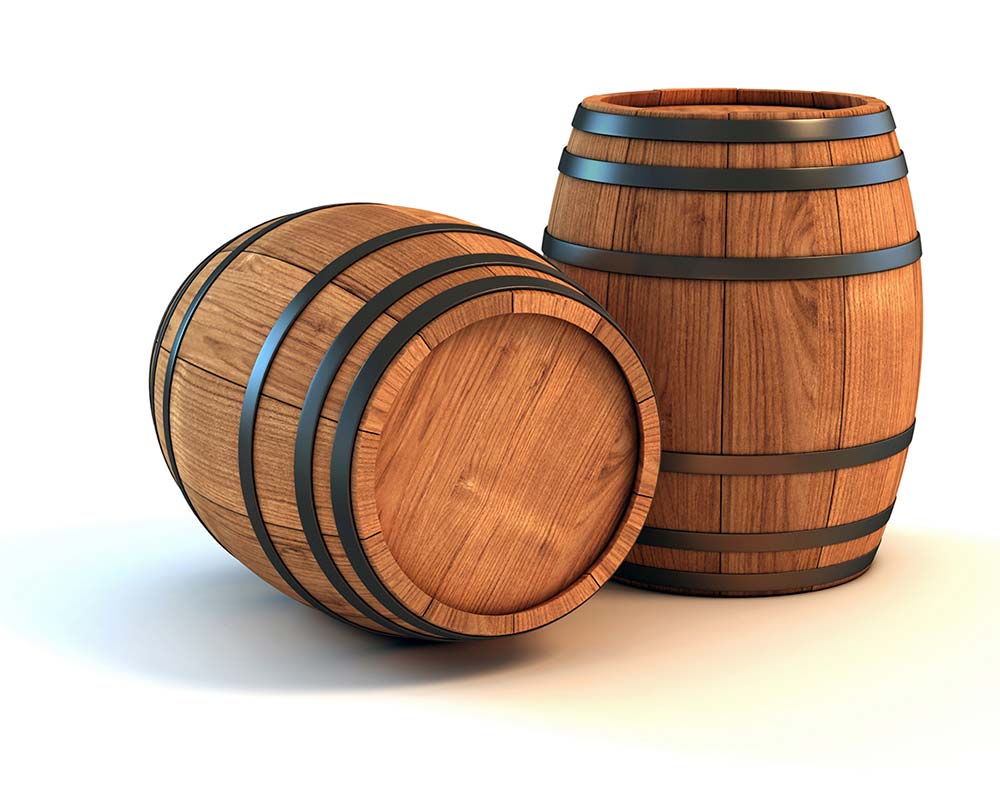


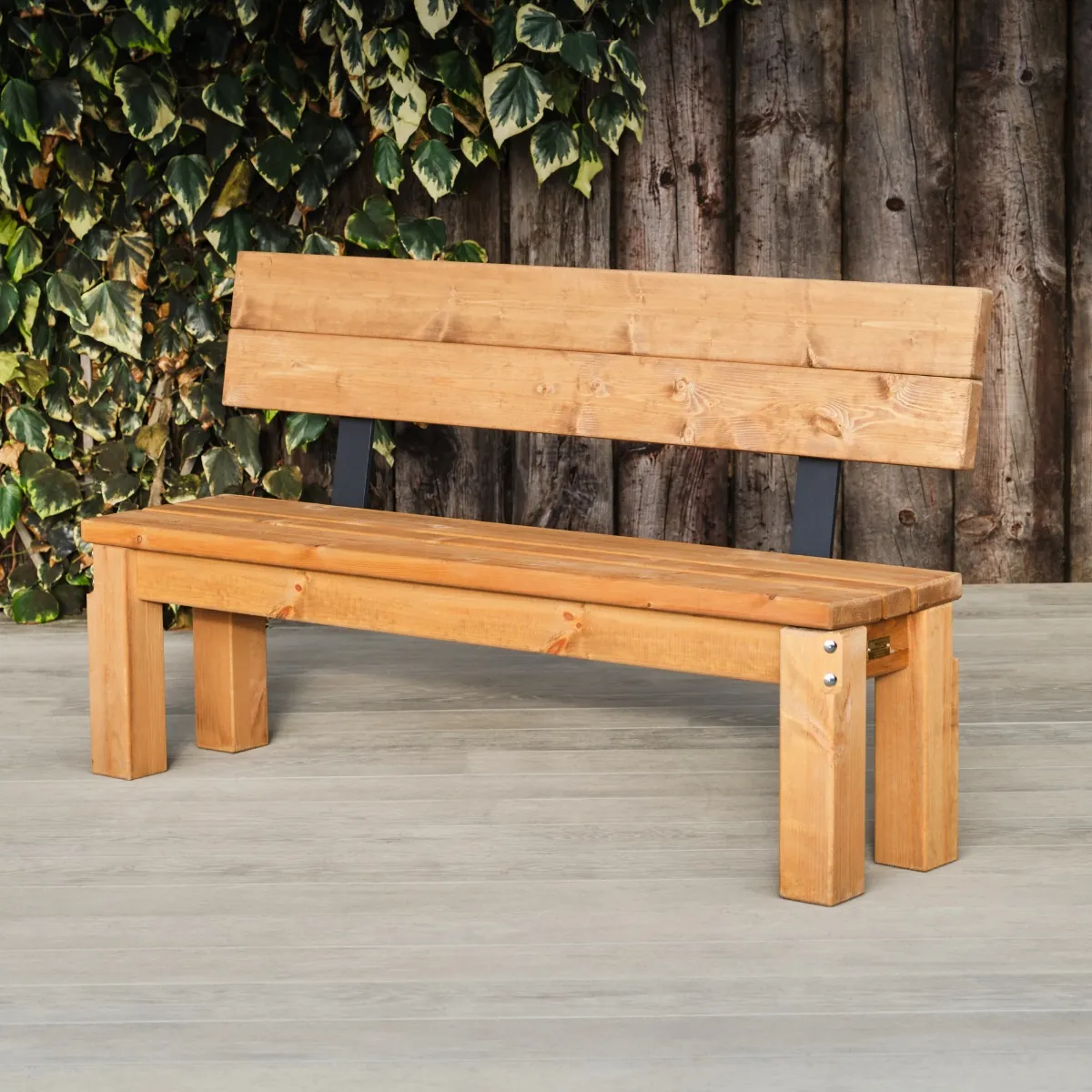


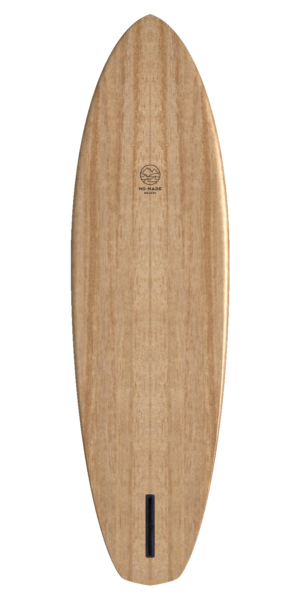
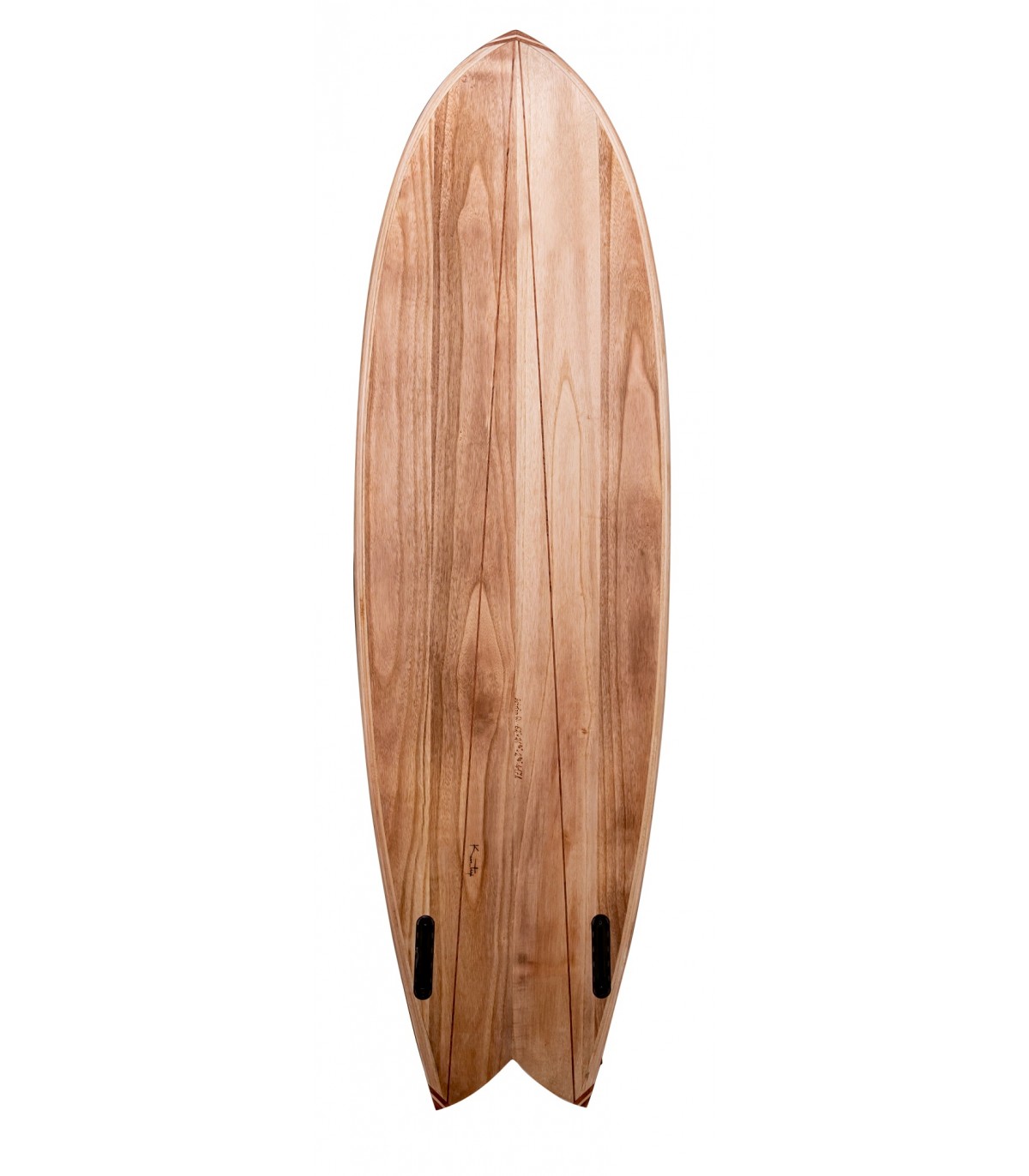
3d models (bench and bin)


I’m still not sure about the colours of my models. Whenever I’ll lay them out in my scene I’ll figure out the colour schemes.
While making the layout, I realized that the backgrounds mountains look super flat and one dimensional, so I found some references to help me.
Background references
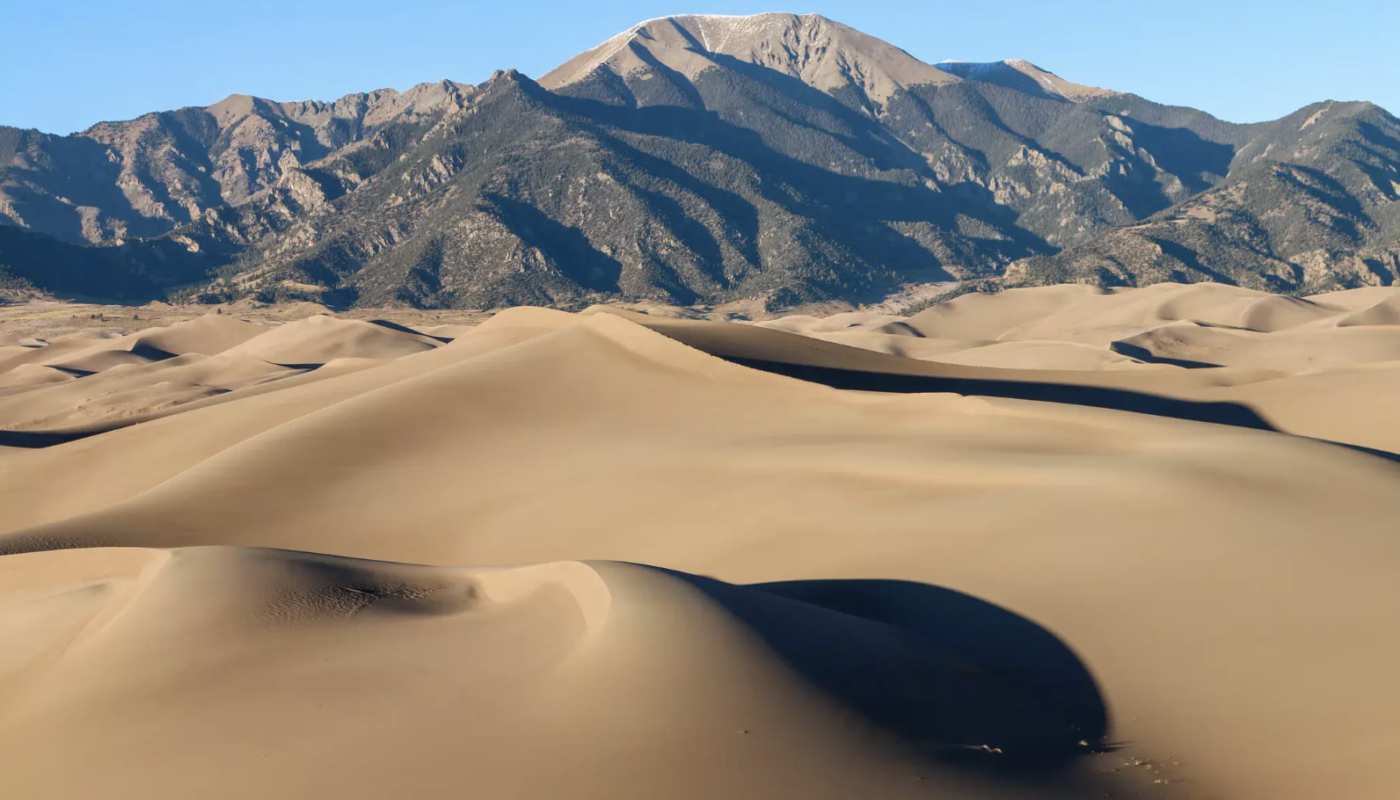


Sponge on the Run has some great backgrounds and since it takes place underwater, it’s good as a reference.
The textures in my film also look flat and boring. The gradient and toon shader is effected by light, and since the ground and mountains don’t have shadows, they don’t show their colours, making them look flat. To change this I decided to use the galaxy shader on them but not use too many colours so they don’t stand out too drastically.

Using my references, I was able to make my backgrounds have more depth by layering them and lightening the colours of the further away hills. I’m not finished with the colours, lighting or 3d models yet but it’s a good video which can help me with where my character is going to be.
I’ve found a few issues such as the background looking very full in some scenes while empty in others. There’s also a few scenes where you can see the ground doesn’t fill the entire scene which I didn’t notice which I will also fix.
Week 11
Since the first scene takes place in the morning and the sun will be rising, I’ll experiment with lighting to make it look like such.
My sky also looks boring so I’m going to watch tutorials to help me create better skies.
The video says to add a sky image in the background and match the lighting with it. I tried some examples.


This works quite well. Rachel said to try gradients instead of painting every sky which I like better.

The beginning was originally going to be early morning with the sun rising, but the warm lighting and warm colours didn’t fit the mood of the scene so I’m going to change it to later in the morning.

I’ve realized that the skies look a little bland. I’m going to experiment with different types of substitutes for clouds such as bubbles and sea life swimming.
While working on my backgrounds, I’ve realized that objects are very far away from each other. I’m going to make some objects bigger, more compact and make the mountains less far away.
I’m planning to get all of the 3d models done.
Ferris Grounds
The Ferris grounds layout is really flat so I’m going to look at some references of amusement parks to understand their layout better. I’m also going to get rid of the rollercoaster as it doesn’t look great.

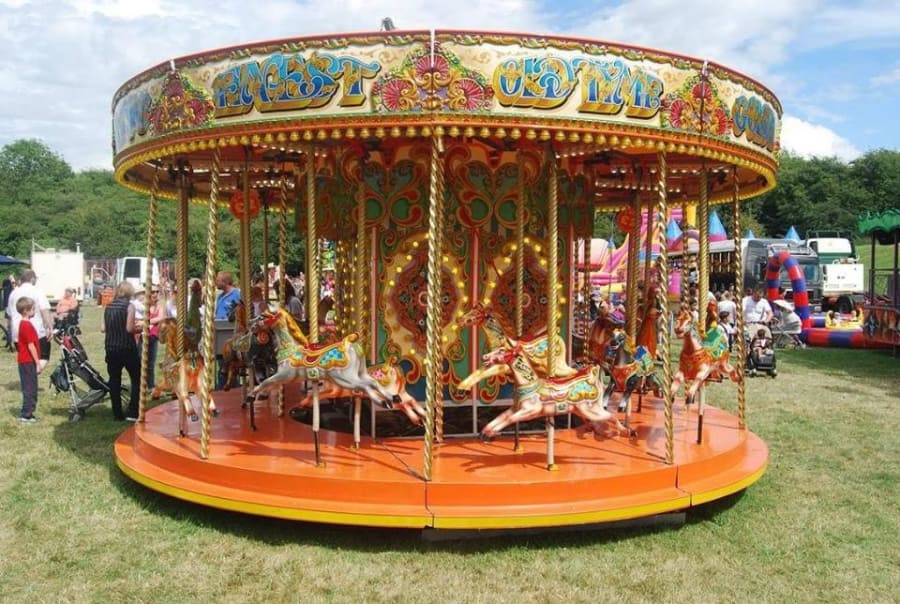
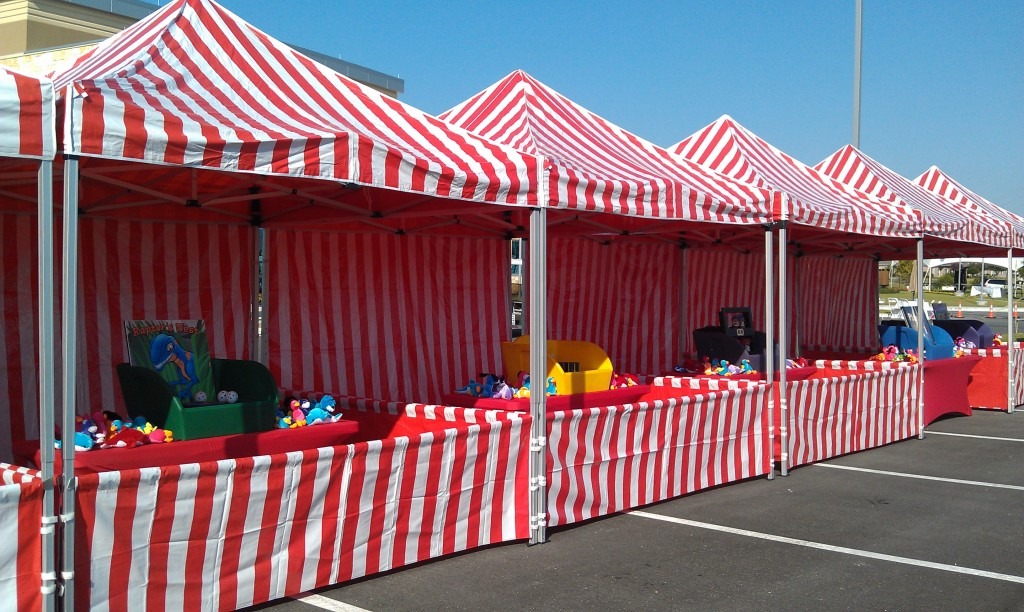
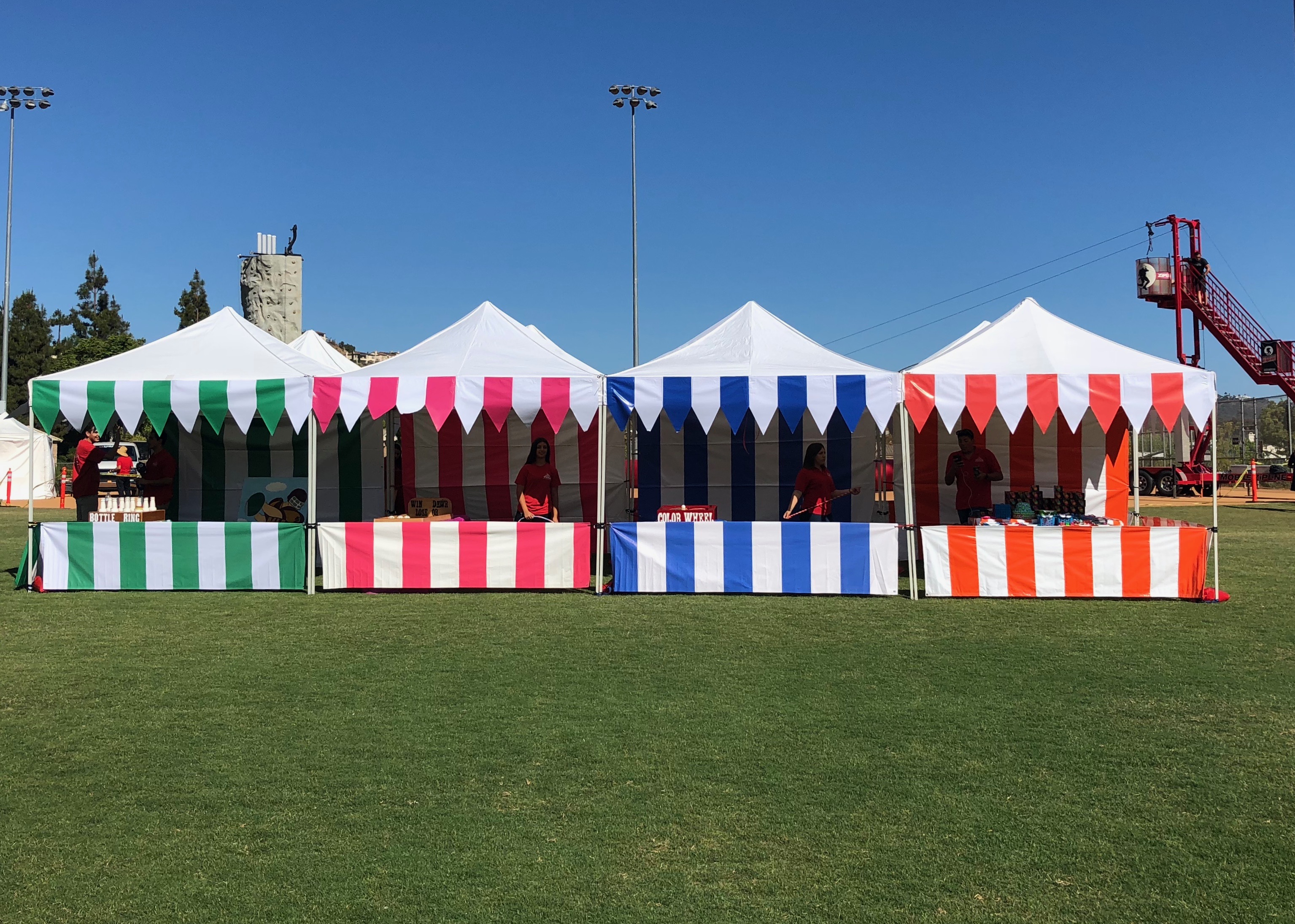
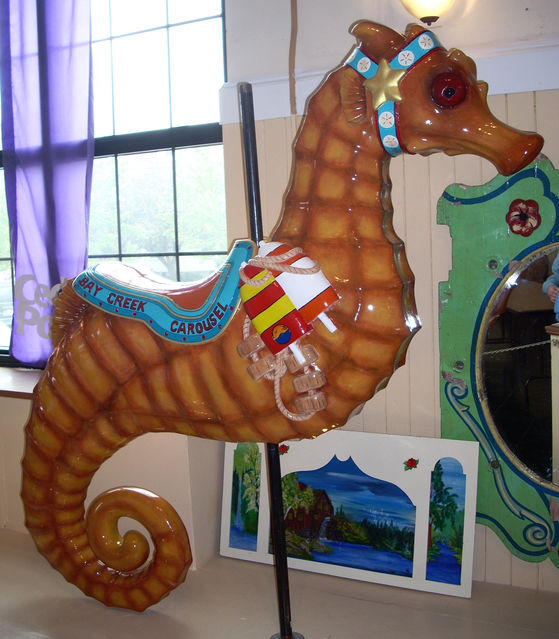


I’ve added tents to bulk the area out a little. This layout looks a lot better.


Housing area


Empty area

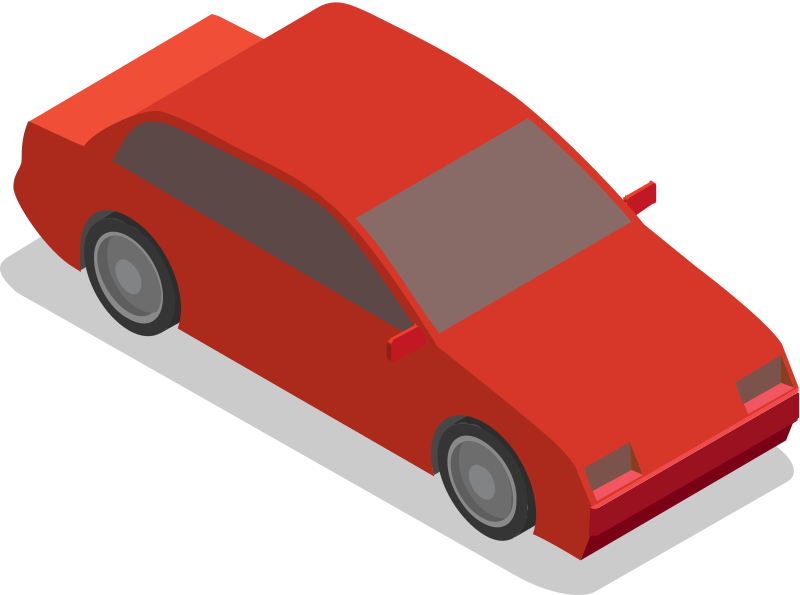


To show that there’s something off about the second area, I’ve added a car and a block of cement with bottom leg bones sticking out of it to show that a lot of gang related activity happens around the area.


Week 12
After finishing all of my background models, I decided to put my character model on it to see if they blend well with each other.
I showed this to my lecturers and they said that the colours blends so well with the axolotl to the point that it’s hard to find where the character is in some scenes. The axolotl also stands in front of a pink house in one shot which I’ll have to change as they blend into it. I was also told to add shadows to the character so the audience knows where the character is standing.
2d assets


A problem that I realized is that it may not make much sense to why the axolotl is picking up rubbish. I came up with the idea that they could wear a hat to show that it’s their job. They’ll only wear the hat for the first scene as that’s the only time they’re working.
Week 13
During Christmas, I got a little burned out. Therefore I didn’t get as much work done as I would’ve wanted. I’m still experiencing some symptoms but I’m going to pull through by taking breaks and not try to push myself as hard.
For the first 3 weeks, I’m planning to try and do a rough first draft animation pass of the first scene of my film and then show to my lecturer to see if I’m doing everything properly. This will also allow me to figure out issues with my character model which I’ll be able to figure out early on.
I’ve made my first draft of animation on my first 8 shots.
After re-watching some of my animations, I realized I’m missing some of the 12 principles of animation, mainly anticipation, slow in slow out and arcs. To make my animation more natural I’m going to always reference the principles from now on. I especially didn’t like how the shot with the axolotl and the fish was looking so I’m going to use the principles to see if I can make it more natural looking.

week 14
Today I was taught that I can put my entire adobe animate file of a shot into After Effects and then edit it. This makes timing and pacing between scenes so much easier as I can place my file onto the timeline instead of exporting it as a video every time.
I wasn’t sure how I was going to make shadows with my character as I was originally going to draw simple circles, but then Rachel showed me that I can make a copy of my animated character, colour its shadow and then flip it, so the shadow is accurate with the characters movements.
For the issue with the character blending too much into the background, rather than changing all of the colours I decided to try experimenting with back shadows to make the character stand out more.
The back shadows give it a picture book like style. I also experimented with a thin outline, and then tried them both together.
I love how the outline helps the character stand out more so I will be going with that for my film.
Week 15
I was told that my scenes still look a little flat. To fix this I was told that I should experiment with more gradients for the sky and the ground to try and give the illusion of depth.
I was originally going to experiment with blurring the backgrounds by using blender, but Rachel said that I can actually use Gaussian Blur in After Effects instead as I can place the blur wherever I want..

From how simple it is to add blur to my scenes, this has made me come up with some more ideas on how to animate some of my scenes while keeping blur in mind.
before
after
I started experimenting more with After effects. The animation isn’t done but I wanted to try and add as many effects onto it to see what my finished product could look like.
Before
After
I’ve added shadows, gaussian blur, rim lighting and a dark red outline around the characters to help them stand out more from the background.
Week 16
On week 19, Rachel wants us to show off all of our progress on our animation.
I’ve changed a few of my scene 1 scenes slightly. The axolotl simply picking trash off the ground and walking is boring. I don’t want to bore my audience from the first scene so I added the character posing and pouncing onto the trash like a cat to show that they do try to make light of their boring situation. I also have two of the background characters walking by them while the axolotl is eating their lunch and have the axolotl watching them adds to the fact that they’re a little upset that they have no one to hang out with during break.
The feedback I got is that it doesn’t really look like the character is underwater as everything is too warm coloured. The characters look like they’re in a desert. To overcome this I will experiment with After Effects.
The scene where the axolotl is supposed to pull the magazine of the human out of its bag doesn’t make too much sense so I’m adding an extra shot of the axolotl pulling the magazine rolled up to hit the corpse with. They’ll then notice the human on the magazine and realise that the corpse is a human.
I was originally going to use the magazine as a placeholder reference, but it turned out looking really funny so I kept it.
Week 17
This is my most updated version of my film that I made to get feedback.

I was told that I should get as much animation done as possible for week 12.
Week 18
The shape of the Ferris wheel carriages doesn’t work well as the bars are too big, so it’s too difficult to put the character into it.

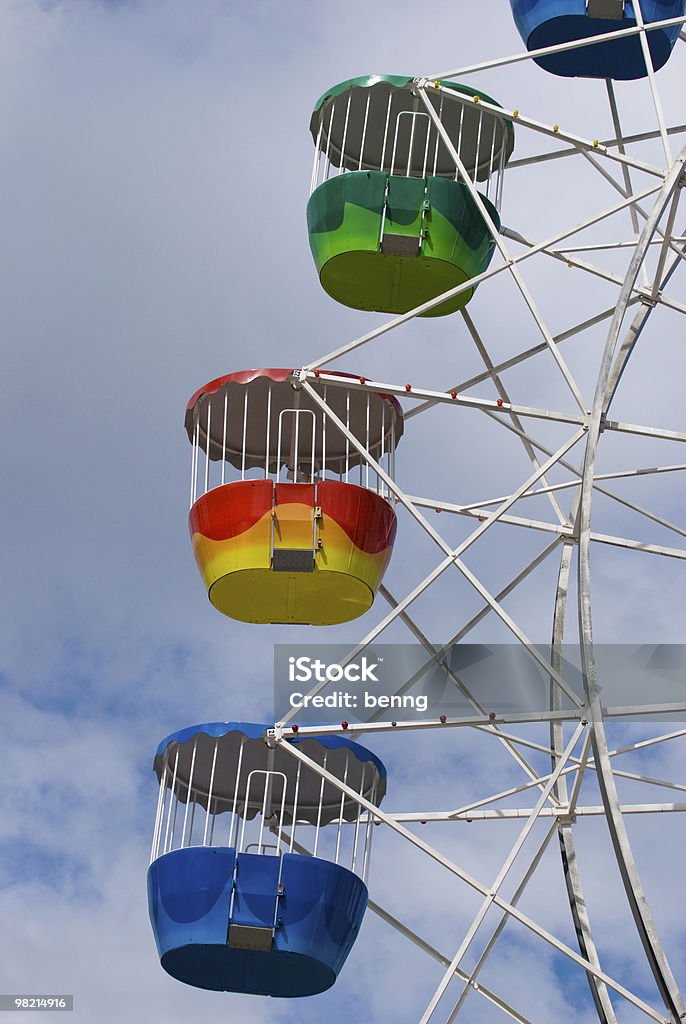

I added more of a safety barrier around it and and made the bars smaller. I also made the colour brighter because the light doesn’t hit the carriages too well and they were coming out too dark. I’m also going to change the connector as it’s too bulky and is just a cylinder.

I’m going to have to animate the character interacting with the Ferris wheel carriage as the axolotl is going to be swinging back and forth.
Week 19
I have a total of 48 shots to animate and by week 10, I have 13 completely finished. The timing and poses are all done on every scene and I just need to fix the characters arms and tweak some things. I will be spending most of my weeks animating for now on. I will then be done with animation and move on to After Effects.

Week 20
The biggest problem that I have at the moment is that the character doesn’t look like they’re underwater. I showed my film to my friend and she thought my character was an alien on a different planet.
To try and make this more obvious, I’m going to add a quick camera movement of the camera moving downwards towards the characters house with a splashing sound effect and a bunch of bubbles to give the effect that the camera is going underwater.
I will experiment by changing the colour through after effects.

I put a blue filter over the background and kept the character the same. It’s not very visible and doesn’t really make it look like it’s underwater.
My lecturer told me to look at the backgrounds of SpongeBob.

The background sand is white which allows the character to stand out well against it. I’m going to experiment with lighter colours.
Original


These yellows blended too much into the characters shirt.


It still looks too orange so I asked Rachel for help.
Rachel showed me a way to add texture to the ground to make it look more like sand and chose the colour for her example.

I like the colour a lot better as it looks more like sand. I am going to add more of a gradient to my sky as it does look a lot better in her example. The problem with the sand texture is that some shots look good with it, but in other shots there is too much sand that it comes off as distracting. The shadows are also black, which looks muddy. I’m going to use my original shader but with the new colours of the sand.

week 21-23
For the next few weeks I’ve been animating, changing all of my backgrounds, looking for music and adding sound effects as my lectures want us to have one more presentation to show off everything we’ve made.
week 24
Even though I originally didn’t want to change my colours, I believe doing so has made my film look a lot better and more underwater like.
Rachel said all my backgrounds look a lot more like it’s underwater. Aodhan said that the outline around the character does make them stand out a lot better so I don’t have to worry about the colours anymore.
I took out the scene of the characters inside of the ferris wheel as it looks unfinished compared to everything else. The lecturers didn’t notice or say anything so I’m going to take it out as it’ll be quite hard to make due to the 2d character interacting with the 3d carriage.
I also need to make the shadows less harsh so I’ll either lower the opacity or make it an overlay and blur it.
I found music on Uppbeat. The lecturers said that the music fit and to find one more for the first scene and to finish adding all my sound effects. I got my sound effects from FreeSound.org.
Final week
During Easter, I’ve finished all of my animations and I’m now planning on adding bubbles and fish into the background to add more background movement and make it seem more underwater.


For my creative futures module, I made a calling card. The colours were filled with dark purples and saturated reds on the sand which look really nice. Rachel asked if I’d be able to try out the colours in my film.


The purple hills do look good in some scenes but it doesn’t work for every scene. The hills being purple also doesn’t make sense and since it’s week 12, I don’t have enough time to change all of the backgrounds. I believe it was worth checking out though.
Final day
Finished Film
For the finished film, I didn’t use rim lighting because it didn’t look nice. I noticed that I went overboard with the gaussian blur but I don’t have enough time to fix all of it. Regardless, I really like how my film turned out.


Music Receipts
Music from #Uppbeat (free for Creators!):
https://uppbeat.io/t/giulio-fazio/hiccup-waltz
License code: VCJML8ZEUB0ROLAF
Music from #Uppbeat (free for Creators!):
https://uppbeat.io/t/peter-lainson/over-the-sea
License code: UFHOJXDQL1RBHO36
Music from #Uppbeat (free for Creators!):
https://uppbeat.io/t/soundroll/an-open-book
License code: JAKQ87T4FGPYKNST